
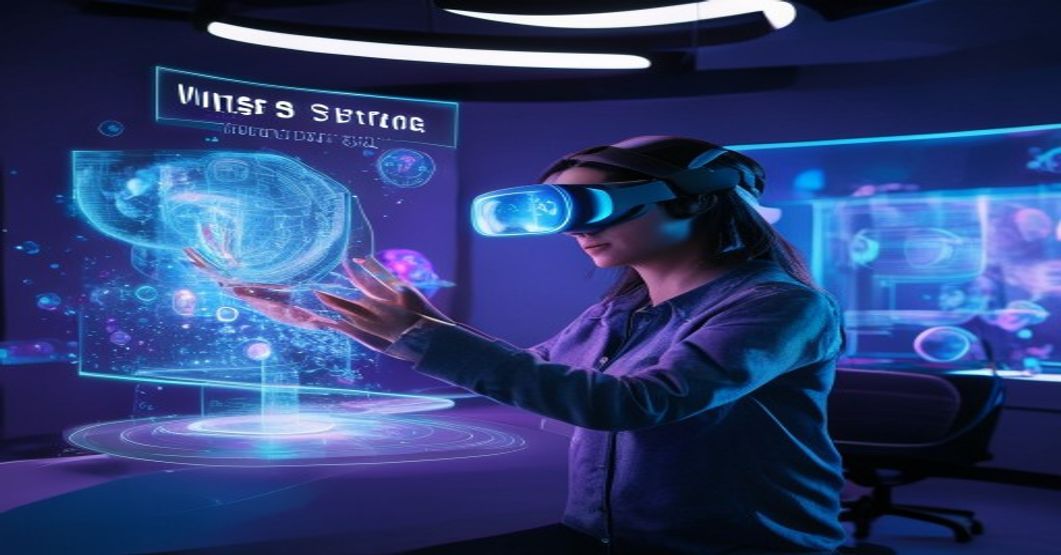
From Pixels to Presence: Building Immersive Experiences with WebXR
Augmented Reality (AR) and Virtual Reality (VR) are no longer confined to sci-fi films or niche gaming communities. They are rapidly transforming industries, from education and healthcare to retail and entertainment. Yet, a significant barrier to their widespread adoption has been accessibility. Historically, AR/VR experiences demanded specialized hardware, cumbersome app installations, and platform-specific development. Enter WebXR – a game-changer that promises to democratize immersive content by bringing it directly to the web browser.
Imagine sharing an interactive 3D product showcase, a collaborative virtual meeting space, or an educational AR overlay with a simple URL, accessible from any compatible device. This is the promise of WebXR, and in this article, we’ll delve into its core concepts, explore its potential, and guide you through the exciting world of browser-based immersive development.
What is WebXR?
WebXR is a set of standardized APIs that allows web developers to create immersive experiences – both AR and VR – that run directly in web browsers. It provides an interface between the browser and a device’s immersive capabilities, whether it’s a VR headset (like an Oculus Quest or Valve Index), an AR-capable smartphone (iOS with ARKit, Android with ARCore), or even a desktop computer for inline 3D experiences.
Before WebXR, building an AR or VR application meant grappling with native SDKs (e.g., Unity/Unreal, ARKit, ARCore) and deploying through app stores. This process often involved complex development cycles, platform-specific code, and significant friction for users. WebXR abstracts away much of this complexity, enabling developers to leverage familiar web technologies like JavaScript, HTML, and CSS to craft rich, interactive 3D worlds and AR overlays.
Why WebXR Matters: The Power of Browser-Based Immersive Experiences
The transition of immersive content to the web offers several compelling advantages:
- Unprecedented Accessibility: No app downloads, no installations. Users can jump into an AR or VR experience instantly by clicking a link, scanning a QR code, or navigating to a webpage. This drastically lowers the barrier to entry.
- Cross-Platform Compatibility: Develop once, deploy everywhere. WebXR aims to work across a multitude of devices and operating systems that support the standard, from high-end VR headsets to mainstream smartphones.
- Ease of Development: Web developers can leverage their existing skills in HTML, CSS, and JavaScript. This dramatically expands the pool of creators capable of building immersive content and reduces the learning curve associated with specialized game engines.
- Rapid Prototyping and Iteration: The web’s inherent speed in deployment and updates allows for quick experimentation, user testing, and iteration on immersive experiences, mirroring the agile development cycles common in web development.
- Seamless Integration with Web Technologies: WebXR experiences can easily integrate with existing web functionalities like WebGL for advanced graphics, WebSockets for real-time multiplayer interactions, WebRTC for video/voice communication, and traditional HTML/CSS for UI overlays.
Key Concepts and APIs in WebXR
Understanding WebXR involves grasping a few fundamental concepts that govern how the browser interacts with immersive hardware:
XRDevice: Represents the underlying AR/VR hardware and its capabilities. You query this to check for immersive session support.XRSession: This is the core of an immersive experience. There are different types of sessions:inline: For non-fullscreen 3D content embedded within a regular webpage.immersive-vr: For full VR experiences, typically requiring a headset.immersive-ar: For full AR experiences, often using a smartphone camera to overlay virtual objects on the real world.
XRReferenceSpaceandXRPose: These are crucial for tracking. AreferenceSpacedefines a coordinate system (e.g., relative to the viewer, or fixed to the floor). AnXRPoserepresents the position and orientation of an object (like the viewer or a controller) within thatreferenceSpace.XRFrameandXRViewerPose: Within an activeXRSession, the browser provides a continuous stream ofXRFrames. Each frame contains the most up-to-dateXRViewerPose(the current position and orientation of the user’s viewpoint) and other data necessary for rendering the immersive scene.- Input Handling: WebXR provides APIs for interacting with controllers, hand tracking (if supported by hardware), and even gaze-based input, allowing for rich user interaction within the immersive environment.
- Hit-Testing (AR Specific): For AR applications, hit-testing is vital. It allows you to determine where a virtual ray (e.g., from the user’s gaze or a virtual pointer) intersects with real-world surfaces detected by the device, enabling the placement of virtual objects on floors, tables, or walls.
- Passthrough (AR Specific): This refers to the ability to see the real world through the device’s camera, with virtual content composited on top, forming the core of an AR experience.
Tools and Frameworks for WebXR Development
While you can build WebXR experiences using vanilla JavaScript and WebGL, several frameworks significantly streamline the development process, abstracting away much of the low-level complexity:
- A-Frame: A declarative, component-based framework for building VR/AR on the web. It uses custom HTML elements, making it incredibly beginner-friendly. Under the hood, A-Frame leverages Three.js and WebGL. You can create complex scenes with minimal code, focusing more on content than on rendering pipelines.
- Babylon.js: A powerful and comprehensive JavaScript framework for building 3D games and experiences with HTML5, WebGL, WebGPU, and WebXR. Babylon.js offers a vast feature set, including physics engines, advanced materials, animation systems, and robust WebXR support, making it suitable for more complex and performant applications.
- Three.js: While not exclusively a WebXR framework, Three.js is a fundamental 3D JavaScript library that is often used as the rendering engine for WebXR applications (including A-Frame). It provides a high degree of control over 3D scenes, cameras, lights, and objects, making it ideal for developers who need fine-grained control over their immersive environments.
- React XR / React Three Fiber: For developers familiar with React, libraries like React XR (built on top of Three.js) and React Three Fiber provide a way to integrate WebXR with a component-based approach, leveraging React’s declarative syntax for building 3D and XR scenes.
A Practical Glimpse: Building a Simple WebXR Scene (Conceptual)
Here’s a conceptual overview of the steps involved in creating a basic WebXR AR experience, placing a virtual cube on a real-world surface:
- Feature Detection: First, check if the browser and device support WebXR and the desired session type (e.g.,
immersive-ar) usingnavigator.xr.isSessionSupported(). - Requesting an XR Session: If supported, the user initiates the experience (e.g., by clicking an ‘Enter AR’ button), which triggers a request for an
XRSession. This often requires user permission. - Setting up the Canvas and WebGL Context: A
<canvas>element is prepared for rendering, and a WebGL rendering context is created. The XR session then binds to this context. - Entering the XR Session: Once the session is active, the browser takes over, providing access to the device’s camera feed (for AR) and tracking data.
- The XR Frame Loop: The application enters a continuous rendering loop (similar to
requestAnimationFrame). In eachXRFrame, you:- Get the latest
XRViewerPoseto know where the user’s head/camera is. - Perform hit-testing to detect real-world surfaces for object placement.
- Update the virtual scene based on user input or animation.
- Render the virtual objects onto the
WebGLRenderingContext, which the browser then composites with the real-world view (for AR) or displays directly (for VR).
- Get the latest
- Handling Input: Listen for controller events or screen touches to allow users to interact with virtual objects, move them, or trigger actions.
- Exiting the Session: Provide a way for users to gracefully exit the immersive experience, returning to the regular webpage.
Challenges and Considerations
While promising, WebXR development comes with its own set of challenges:
- Performance Optimization: Rendering complex 3D scenes in real-time is computationally intensive. Developers must optimize assets, textures, and rendering techniques to ensure smooth frame rates, especially on less powerful mobile devices.
- Device Compatibility & Fragmentation: Not all devices support all WebXR features (e.g., advanced AR capabilities like scene understanding). Developers need to implement robust feature detection and provide fallback experiences.
- User Experience (UX): Designing intuitive interactions, preventing motion sickness (in VR), and ensuring user comfort in immersive environments require careful consideration beyond traditional 2D web design.
- Security & Privacy: Access to camera feeds, motion sensors, and environmental data raises privacy concerns. Browsers enforce strict user permissions for these sensitive APIs.
- Bandwidth Requirements: High-quality 3D models and textures can be large, necessitating efficient asset loading strategies and content delivery networks (CDNs).
The Future of WebXR: What’s Next?
WebXR is an evolving standard, with continuous development focused on enhancing capabilities and improving performance:
- Improved Browser Support: As more browsers and devices embrace WebXR, its reach will expand significantly.
- New Hardware Capabilities: Future AR/VR headsets and phones will bring more advanced sensing capabilities (e.g., depth sensors, eye tracking, hand tracking), which WebXR will eventually expose to developers.
- Enhanced AR Features: Ongoing work includes better scene understanding, persistent anchors (virtual objects that stay in place across sessions), and robust occlusion (virtual objects correctly appearing behind real-world objects).
- Integration with Other Web Standards: Expect deeper integration with WebGPU for even more powerful rendering, Web Neural Network API for on-device AI, and other emerging web standards.
- Metaverse Implications: WebXR is a foundational technology for the open metaverse, allowing users to seamlessly transition between immersive experiences and share content across virtual spaces without proprietary platforms.
Conclusion
WebXR stands at the forefront of a new era for the internet, one where the boundaries between digital and physical, and between screen and experience, continue to blur. By democratizing the creation and consumption of AR and VR content, it empowers web developers to build truly immersive, accessible, and engaging experiences that transcend traditional 2D interfaces. The journey from pixels to presence is now more open and exciting than ever before, inviting developers to explore the vast potential of the immersive web.










Leave a Reply